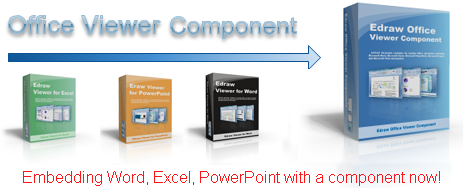
Edraw Office Viewer Component 5.4 Released

Office Viewer Component

Edraw Office Viewer Component Acts as an ActiveX document container for embeding Office documents (including Microsoft Word, Microsoft Excel, Microsoft PowerPoint, Microsoft Project, and Microsoft Visio documents) in a custom form or Web page. The control is lightweight and flexible, and gives developers new possibilities for using Office in a custom solution.

Download link: http://www.ocxt.com/download/OfficeOCXSetup.exe

Online Demo: http://www.ocxt.com/online-demo

Free download Office Viewer Component Purchase Office Viewer Component in a promotional price

You can find the sample projects and help document in the install folder. Learn More

Edraw PDF Viewer Component V3.2 Released

PDF Viewer Component

PDF Viewer Component is a light weight ActiveX Control which enables your application to display and interact with PDF files. It is identical to Adobe Reader program and adds high speed viewing of PDF documents to your applications easily. Read-Only Support for PDF Viewer! It is a great solution for companies wishing to display read only PDF document to their employees while restricting save or save to the underlying data. The control is lightweight and flexible, and gives developers new possibilities for using PDF Reader in a custom solution.

Free download PDF Viewer Component                   Purchase PDF Viewer Component in a promotional price

Online Demo: PDF Viewer Component Online Demo
Download Printable Develop Manual

PDF Viewer Component Features

  1. Seamlessly use the Adobe Reader as the container to render the PDF files. 100% PDF format compatible.
  2. HTTP/HTTPS Support. With the component it is easy to upload or download file between distant server and client via HTTP/FTP.
  3. Show/Hide the Save Copy As button which is available in adobe tool bar.
  4. Show/Hide the PDF Print button in adobe tool bar.
  5. Show/Hide the scrollbar in PDF viewer.
  6. Disable the right-click menu in adobe reader window.
  7. Disable all the hot keys such as Save As, Print, Show/Hide Tool Bar and more.
  8. The document control represents the PDF document and lets you open, close, save, print and
    navigate the PDF document programmatically. Support all the interfaces of Adobe PDF Reader such as zoom, search and navigate.
  9. A standard ActiveX control which can be called from different programming languages, including C/C++, C#, Delphi, Visual Basic, ASP.NET etc.
  10. Requires any edition of Adobe PDF Reader is included as part of the comprehensive PDF Viewer Component. 

Edraw Office Viewer Component 5.3.407 Released

5.3.407.1 version is a maintenance update.

1. Provided the silent print for the MS office document.

2. Added WordGetCurrentPageIndex and WordGetTotalPageCounts to return the current page number and page counts in Word document. 

3. The ExcelGetCellValue won’t returns null when the date is numeric;

4. Supported to open an Office 2007 file from the remote server with the “Open” method directly.

5.3.288.1

1. Fixed the buffer overflow to execute arbitrary code via a long first argument to the HttpDownloadFileToTempDir method and FTPDownloadFile.

2. Solved the failture when saving an Excel document to the server and having a cell activated.

3. Removed the default overwrite reminder from Microsoft Excel if you save an open Excel file at the same position multiple times.

4. Solved: Return to the first page if you click the Document Map in a protected Microsoft Word document

5. Solved: The excel process keeps back when call the “OfficeProtectDocument” method.

6. Some other small improvements.

Javascript for Office Viewer Component

We have written a demo page with javascript. Anybody can visit it at

http://www.ocxt.com/oademo_javascript.php

You can find all the sample projects in the install directory.

What’s New in Version 5.2

1. Solves the crash if you apply the “SaveToServer”  methods in Internet explore.

Now you can call the follow scripts to finish the SaveToServer.

Sub SavetoServer()
    If OA1.IsOpened = True Then
     document.body.style.cursor = “wait”
     OA1.HttpInit
     Dim strFileName
     strFileName = OA1.DocumentName
     If strFileName = “” Then
        strFileName = “yourguid”
        strFileName = strFileName + OA1.GetOpenedFileExt()
     End If
      OA1.HttpAddPostOpenedFile strFileName
      OA1.HttpPost “http://www.ocxt.com/demo/upload_weboffice.php
      document.body.style.cursor = “default”
      Dim sPath
      On Error Resume Next
      sPath = “Save successfully! You can download it at http://www.ocxt.com/demo/” + strFileName
    MsgBox sPath
 Else
  MsgBox “Please open a document firstly!”
 End If
End Sub

2. Adds some new methods.

Function:  HRESULT GetTempFilePath([out,retval] BSTR* strValue);
Description: Gets a temporary file path.

Function:  HRESULT ClearTempFiles();
Description: Clears these temporary files created by the component. The function won’t delete any other files out of OA temporary directory.

Function:  HRESULT GetOpenedFileExt([out,retval] BSTR* strValue);
Description: Gets the file extend of the current opened file.

Function:  HRESULT GetOpenedFileType([out,retval] OpenedFileType* nType);
Description: Gets the file type of the current opened file.

3. Changes the Insecure Method “void HttpDownloadFile(WebUrl, LocalFile, WebUsername, WebPassword)” to “BSTR HttpDownloadFileToTempDir(WebUrl, WebUsername, VARIANT WebPassword);

Now the component can only download the file to “Internet temporary file directory\OA\”. So anybody can’t use the method to download a file then conver a good system file.

Host Microsoft Office Application in .NET

If you are building a .NET application and you are struggling to find a way to host Word documents, Excel spreadsheets, PowerPoint presentations, Visio drawings orProject files, you might consider using the Visual C++ ActiveX Control for hosting Office documents. I learned about this download resource and I was shocked to see how you can add it to your solution and start working with Office applications in less than a minute. You can open Office applications, format content, update documents, save changes, print, and more inside your application. The EDraw Office Viewer Component is an Active X control written in MFC. The download includes some sample codes to use it inside Visual Basic, HTML pages, C#, Asp.NEt. You can also enable and disable specific functionality by using a full set of properties, methods, and events exposed for customization.

You can also host the control inside managed applications following these simple steps:

1. Downlad the EDraw Office Viewer Component.
2. Open Visual Studio .NET. 
3. Open your WinForms or WebForms application.
4. Add the EDraw Office Viewer Component to the Toolbox: 
5. On the Tools menu, click Customize Toolbox (in Visual Studio .NET 2002), or click Add/Remove Toolbox Items (in Visual Studio .NET 2003 or 2005), and then click the COM Components tab. 
6. On the COM Components tab, select EDraw Office Viewer Component. 
7. Click OK to close the Customize Toolbox dialog box.
8. Select the EDraw Office Viewer Component icon that appears in the ToolBox and drag-and-drop the control over the Form or Web Form.
9. Adjust the control’s docking/size as needed.
10. Build and run the application.
11. Create a new document to test the control.
12. You can call more than one hundred methods to customize your application.

Edraw Office Viewer Component Version 5.1 Released

Edraw Office Viewer Component version 5.1 released yesterday. New version provides more than one hundred methods. Now you can do some office automation with our component directly. You can open and play the slideshow in a customize form. You can create a new excel workbook then fill in the sheet with the data from your database. You can limit the user to edit or print the Word document by setting the readonly mode.

Now the new version supports both the HTTP and HTTPS. It also supports the website with password. Of course you can upload or download the file via FTP too.

What’s new

1. Support HTTP/HTTPS and the website with the password.

2. You can set the Readonly mode for both Word and Excel.

3. You can play the slideshow in the same window without the web toolbars and the scrollbar.

4. Now it’s no problem to open the hyperlink in the office document.

5. Now it’s no problem to play the media, animation, vedio in the PowerPoint slide file.

6. Support Both Print and PrintPreview. You can enable or disable them too.

7. You can put multiple office programs in a form or open multiple EDraw Office Viewer Component instances in the internet explore.

8. Insert the image, text, html, rtf to your Word document with the office automation interfaces.

9. More setting for rulers, gridlines, toolbars, menubars, titlebar, caption and color scheme.

10. Suport the clipboard operator. You can insert the data into the Word or Excel from the clipbard.

Embed Office

Do you want to embed a desktop application with Microsoft Office integration such as Word, Excel and Powerpoint, PDF etc? Do you want to display Word, Excel and Powerpoint document in your web application? Do you want to host office documents in your Winforms program? All these things now can be easily achieved by using Edraw Office Viewer Component.

The component supports seamless integration with Office 97, 2000, XP, 2003 and 2007.

Edraw Office Viewer Component support embeding Office documents in your application by implementing a full featured ActiveX document container. Now you can create, open, edit, view and save office documents such as *.doc, *.docx, *.xls, *.xlsx, *.ppt, *.pptx etc in your own program’s window. With Office component you can have Office run embedded inside your custom solution.

Office Viewer Component Features

1. Read-Only embedding Word document and Excel Sheet! It is a great solution for companies wishing to display read-only Word document data and Excel sheet to their employees while restricting modifications to the underlying data.
2. Support seamless integration with Office 97, 2000, XP, 2003 and 2007.
3. Play SlideShow at the same window. You can embed PowerPoint in the same window or full screen mode.
4. You can also embed password protected Word documents without supplying passwords to your users - keep your confidential data safe and secure!
5. HTTP/HTTPS Support. With the office OCX it is easy to upload or download file between server and client via HTTP/FTP.
6. Support More file types. You can open all the file formats supported by Microsoft Word such as doc, docx, dot, rtf, txt, mht, xml, wps, wri, wpd, wps, wpi, olk, pab. You can also open the follow file in the Microsoft Excel sheet such as xls, xlsx, xlt, xlw, cvs.
7. Multiple Language Support. Easy to modify the interface in run time/design time.
8. Support Office Automation by exposing the active document interface. Enable the developer to customize the office application by the dispatch interface.
9. Easy to use with a lot of examples provided.

It is a standard ActiveX control that can be used as an ActiveX document container. It can be easily integrated into applications written in languages that support ActiveX control such as Visual C++, Visual Basic, Delphi, C++ Builder, .Net languages (VB.Net, J#, C#), eDeveloper, and web pages with Internet explorer.

Edraw Office Viewer Component for Hosting Office Documents

Edraw Office Viewer Component contains a standard ActiveX control that acts as an ActiveX document container for hosting Office documents (including Microsoft Word, Microsoft Excel, Microsoft PowerPoint, Microsoft Project, and Microsoft Visio documents) in a custom form or Web page. The control is lightweight and flexible, and gives developers new possibilities for using Office in a custom solution.

The control is designed to handle specific issues that make using ActiveX documents from a non-top-level host window difficult, and serves as a starting place for constructing your own embedded object file viewer or editor as an ActiveX control.

It is a great solution for companies wishing to display read-only Word document data and Excel sheet to their employees while restricting modifications to the underlying data. You can play the powerpoint file in the same window. You can also display password protected Word documents without supplying passwords to your users - keep your confidential data safe and secure! With the office ocx it is easy to upload or download file between server and client via HTTP/FTP.

MORE INFORMATION
This component shows allows developers to embed Office files for in-place editing and viewing. It can be easily integrated into applications written in languages that support ActiveX control such as Visual C++, Microsoft Internet Explorer, Visual Basic, Delphi, C++ Builder and .Net languages to view Office files inside their main solution, and give them programmatic control over the document while it is embedded. 

Solved Boundary Errors When Upload a File with Office Viewer OCX

It’s important to solve the boundary errors when uploading a file to a server via HTTP. Now EDraw Office Viewer Component has changed the upload method and added a boundary process for the uploaded file and parameter.

The boundary error could be exploited by remote attackers to cause a denial.  EDraw suggests all the user updated to the latest version if they are developping a web application with the office viewer ocx but they have the vulnerable server.